
The Engine
Design any process
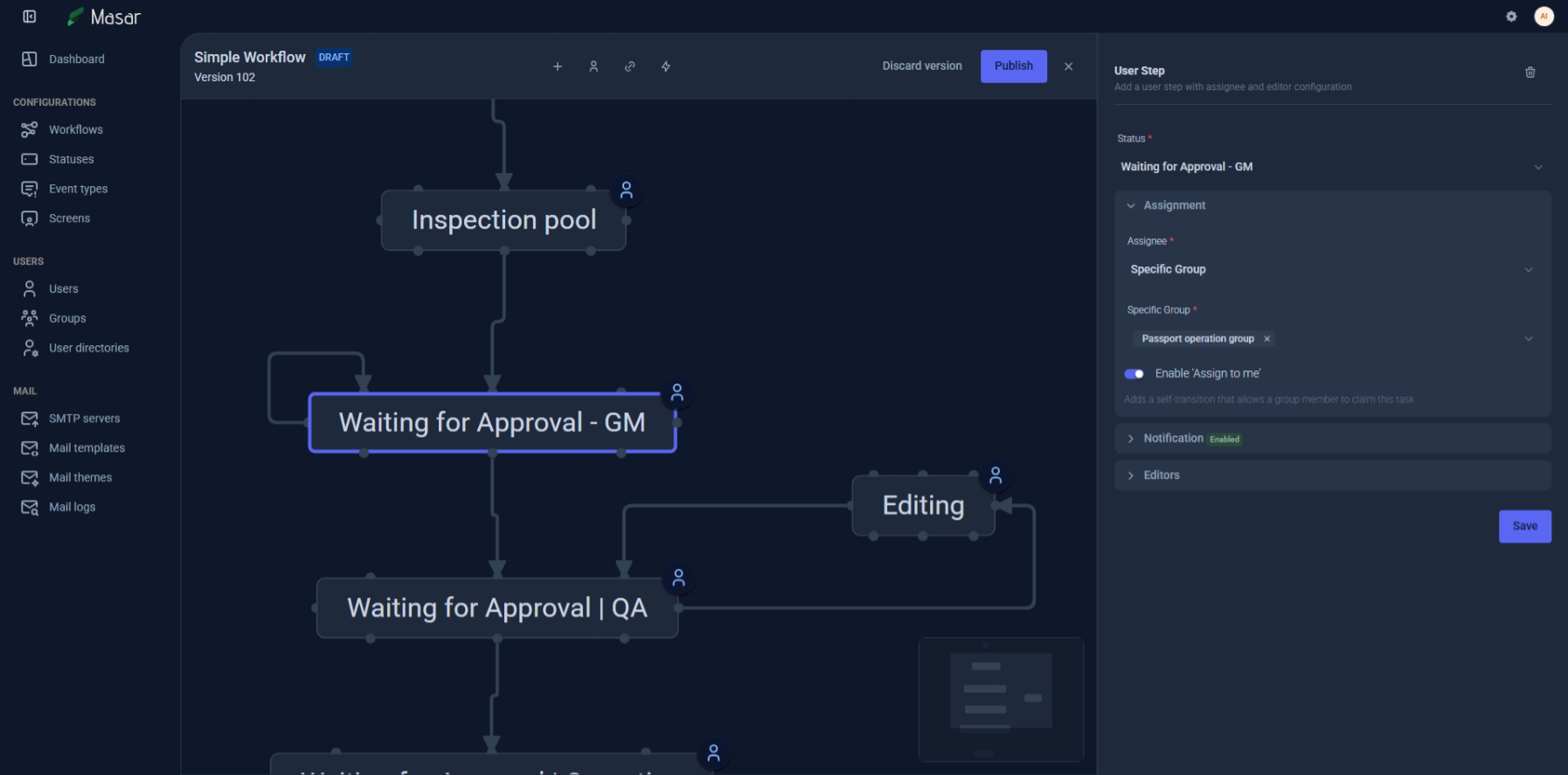
Visual workflow designer
A visual canvas where business logic becomes something you can see, touch, and refine. From simple approvals to complex multi-branch enterprise processes — design them the way you think about them.
Visual Canvas
Drag states into being.
Draw transitions with intention.
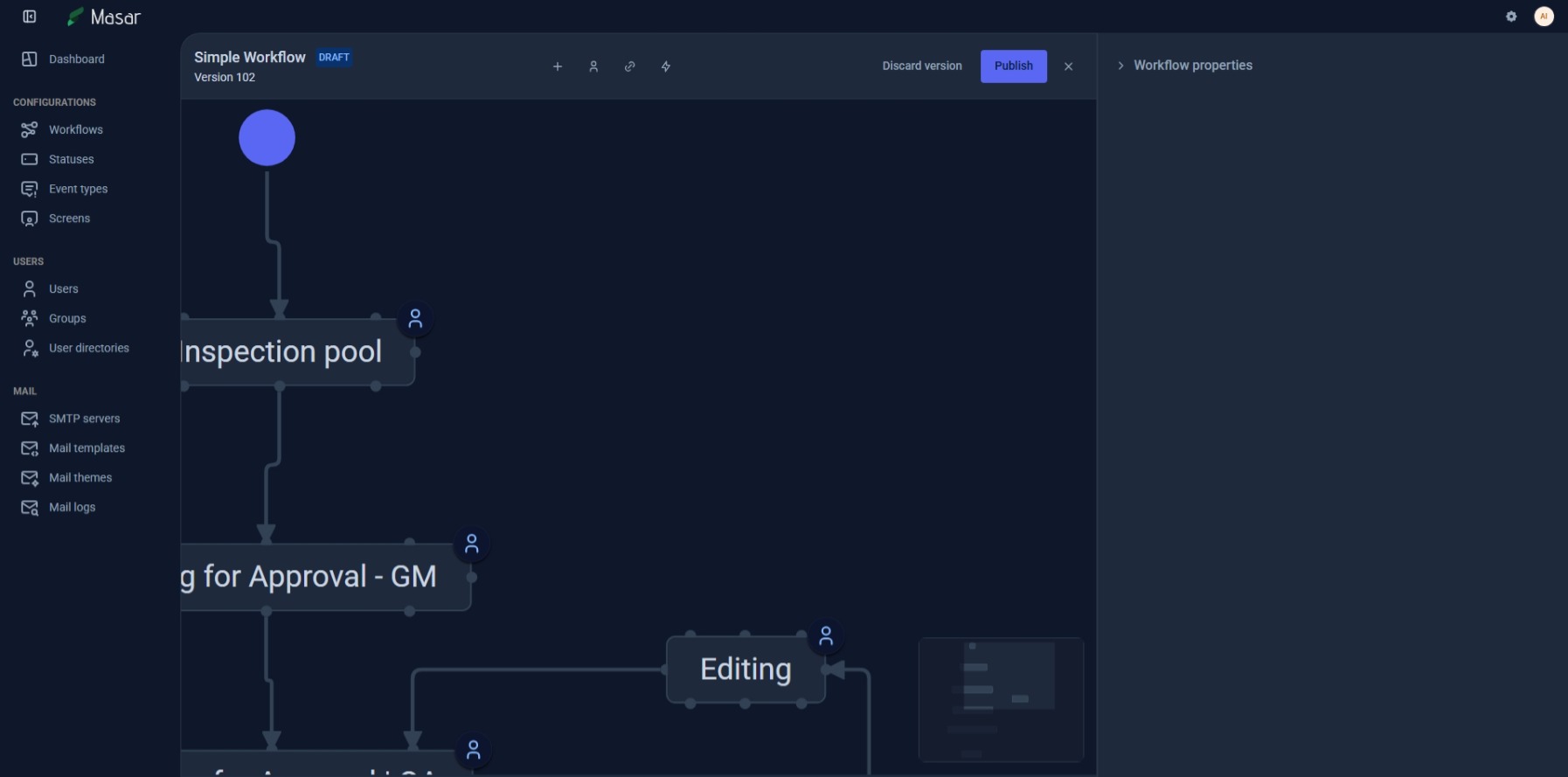
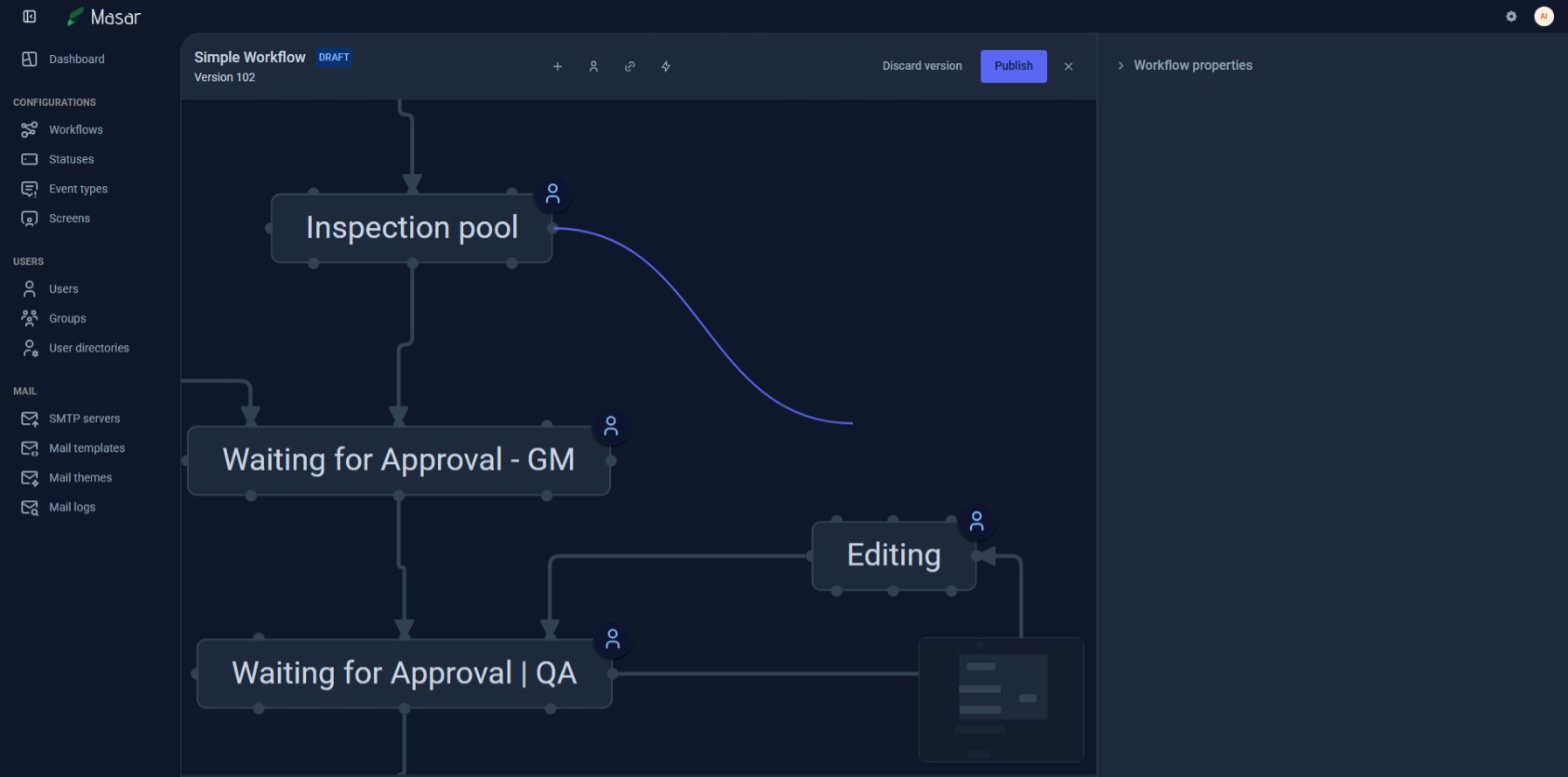
The workflow designer gives you a React Flow-powered canvas where you build processes visually. Each state is a step in your process — start, end, user tasks, automated steps, conditional branches. Connect them with transitions that carry the logic of your organization.
Six State Types
START, END, NORMAL, CONDITIONAL, AUTOMATED, and USER_TASK — each with distinct behavior and lifecycle hooks
Smart Transitions
Three transition types (ALL_TO_ONE, SELF_LOOP, MANY_TO_ONE) with 8-position connector system for clean visual layouts
Version Control
Semantic versioning with DRAFT and PUBLISHED states — edit safely, publish when ready, roll back when needed
Intelligence
Conditions that understand
your business
Every transition can carry conditions that determine who can move work forward, when, and under what circumstances. Hierarchical condition groups with AND/ALL logic let you build rules of any complexity — from simple field checks to custom JavaScript evaluations.
Five Condition Types
FieldValue, User, RestrictUsers, RestrictMovement, and fully Scripted conditions with JavaScript
Validators
Sequential validation gates that check data integrity before any transition proceeds
Hierarchical Groups
Nest condition groups with AND/ALL operators for arbitrarily complex business rules
Automation
After the transition,
the work continues
Post-functions execute automatically after a transition completes — assigning users, sending emails, calling webhooks, updating fields, or running custom scripts. Eight built-in types cover the most common automation needs, and scripted post-functions let you extend without limits.
Eight Post-Function Types
Assign, AssignToGroup, Email, Document, Scripted, UpdateField, Webhook, StoreCurrentUser
JavaScript Sandbox
Secure vm2 execution with pre-warmed worker pool, 15s timeout, 128MB memory limit, and rate limiting
Webhook Integration
Call any external system as part of your workflow — REST APIs, third-party services, internal tools
Everything included
The complete picture
Transition Screens
Attach custom forms to any transition — the right interface at every step of the process
Step Handlers
Extensible lifecycle hooks — onEnter, onExit, onFailure, canEnter — for every state type
Export & Import
Move workflows between environments with full portability — development to production, seamlessly
Related Features
Explore more of what Masar offers
Ready to design your first workflow?
From simple approval chains to complex enterprise processes — Masar adapts to the way your organization actually works.
Start a conversation