
Forms & Screens
The right interface at every step
Dynamic form builder
Design forms that adapt to context — showing the right fields, with the right validations, at exactly the right moment in your workflow. Every field earns its place.
Form Builder
Drag, drop, design.
Then connect to your workflow.
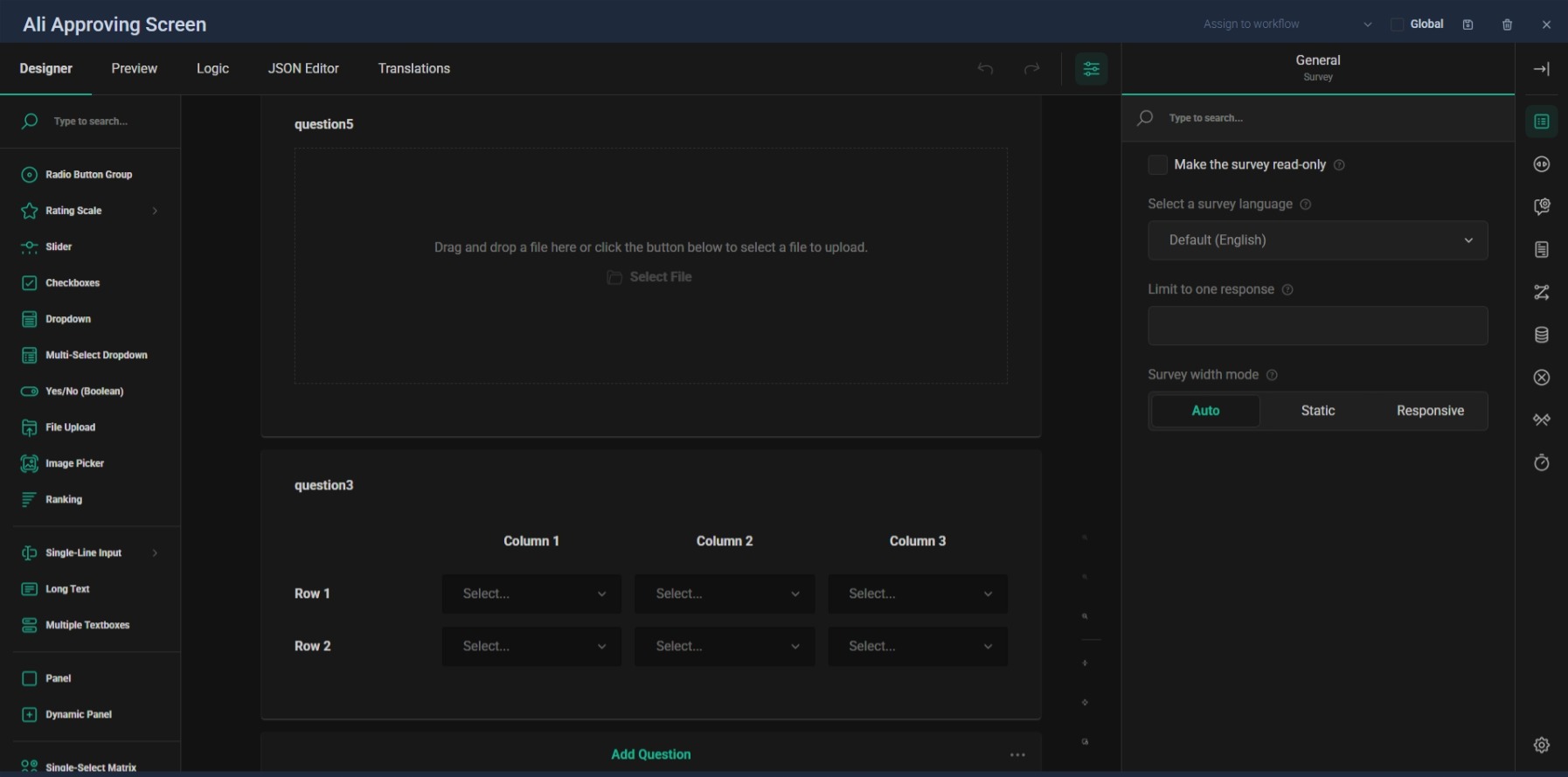
The SurveyJS-powered form builder gives you a visual canvas for designing any form. Drag fields from the palette, configure properties, set validations, and preview instantly. Forms are stored as JSON — lightweight, portable, and version-friendly.
Rich Field Types
Text, checkbox, radio, select, rating, comment, matrix, file uploads — every field type your processes need
Built-in Validation
Required fields, pattern matching, custom validators — guide users without obstructing them
Dynamic Visibility
Show and hide fields based on workflow state, user role, or the values of other fields
Workflow Integration
Each transition,
its own screen
The real power of Masar forms is their deep integration with the workflow engine. Each transition can present its own screen — so when a manager approves, they see approval fields. When an engineer reviews, they see technical fields. Context drives the interface.
Transition Screens
Map specific forms to specific transitions — the right interface at every step of the journey
Global & Contextual
Reusable global screens for common patterns, plus workflow-specific screens for unique requirements
Form Data in Automation
Post-functions and conditions can read and write form data — forms aren't just input, they're part of the logic
Related Features
Explore more of what Masar offers
Forms that serve the process
Stop fighting generic form builders. Masar forms are built for workflows — they understand context, respect roles, and adapt to data.
Start a conversation